Elite Dangerous
1.0 2.0 4.0
Primary Buffer Panel
All works.
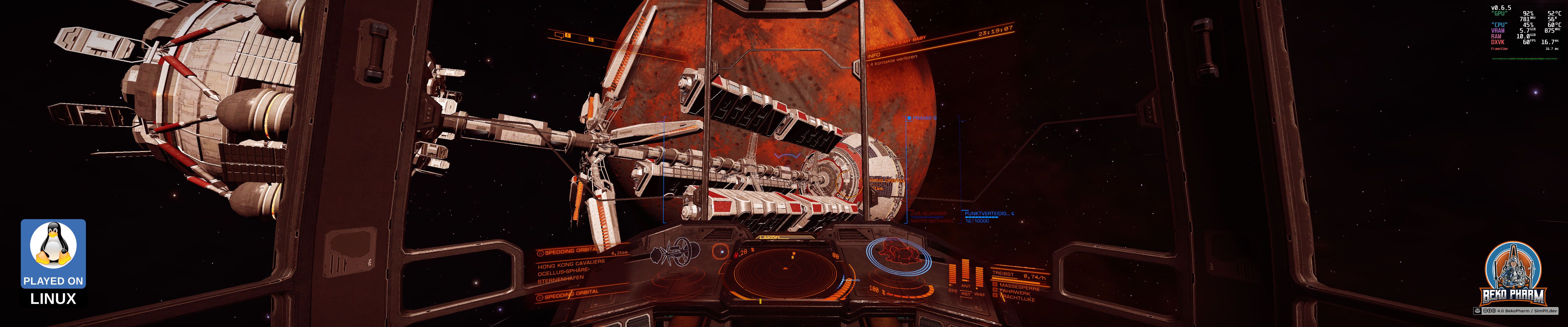
- 🖥️ Full 5760x1200 on triple head setup
- 🕹️ X52 Pro as joystick
- 🕹️ Primary Buffer Panel as secondary joystick
- 🎧 Head tracking
- 🔧 Multi-function display
- 🚦 Blinken lights
There are a bunch of videos showcasing Elite Dangerous with my Primary Buffer Panel on my YouTube and PeerTube accounts.
Launch parameters
I launch Elite Dangerous from Steam and for most people it’ll be just click Play. Elite had this atrocious overloaded and slow launcher though so I switched to MinEdLauncher instead, which would also kindly chainload further 3rd party apps for me.
The new launcher Elite Dangerous got a few weeks ago is a lot faster and also very minimalistic. Good thing we have choices though. Here are a bunch of ways I launch Elite depending on what I’m going to do:
Launch within gamescope for proper screen size, show MangoHud overlay, use MinEdLauncher and launch directly into Elite Dangerous: Odyssey:
gamescope -h 1200 -w 5760 -H 1200 -W 5760 -b -e – mangohud ./MinEdLauncher %command% /autorun /autoquit /EDO
Start MinEdLauncher from a gnome-terminal and launch directly into Elite Dangerous: Horizons:
gnome-terminal – ./MinEdLauncher %command% /autorun /autoquit /EDH
Start MinEdLauncher from a gnome-terminal and launch directly into Elite Dangerous: Odyssey while allowing access to the Vulkan rendering for recording in OBS Studio
obs-gamecapture gnome-terminal – mangohud ./MinEdLauncher %command% /autorun /autoquit /EDO
Demo
Watch this video on YouTube PeerTube
Ignore the Primary Flight Display. This version of my app has currently a bug where it’s stuck when it should not display at all. It should only display near a planetary.
Music “Running and Burning (Single)” by “Desert Eagles” is released under Creative Commons Attribution 3.0 International License